

Cybelec CT12 Press Brake: How to Program Parts with Ease
Cybelec CT12 Press Brake programming becomes much easier when operators understand the logic behind part creation, bend sequencing, and correction workflow. At JS RAGOS, we see this controller as a practical solution for manufacturers that need stable 2D bending performance without adding unnecessary complexity to daily production. The goal is not only to create a program, but to create one that is fast to edit, easy to repeat, and reliable on the shop floor.
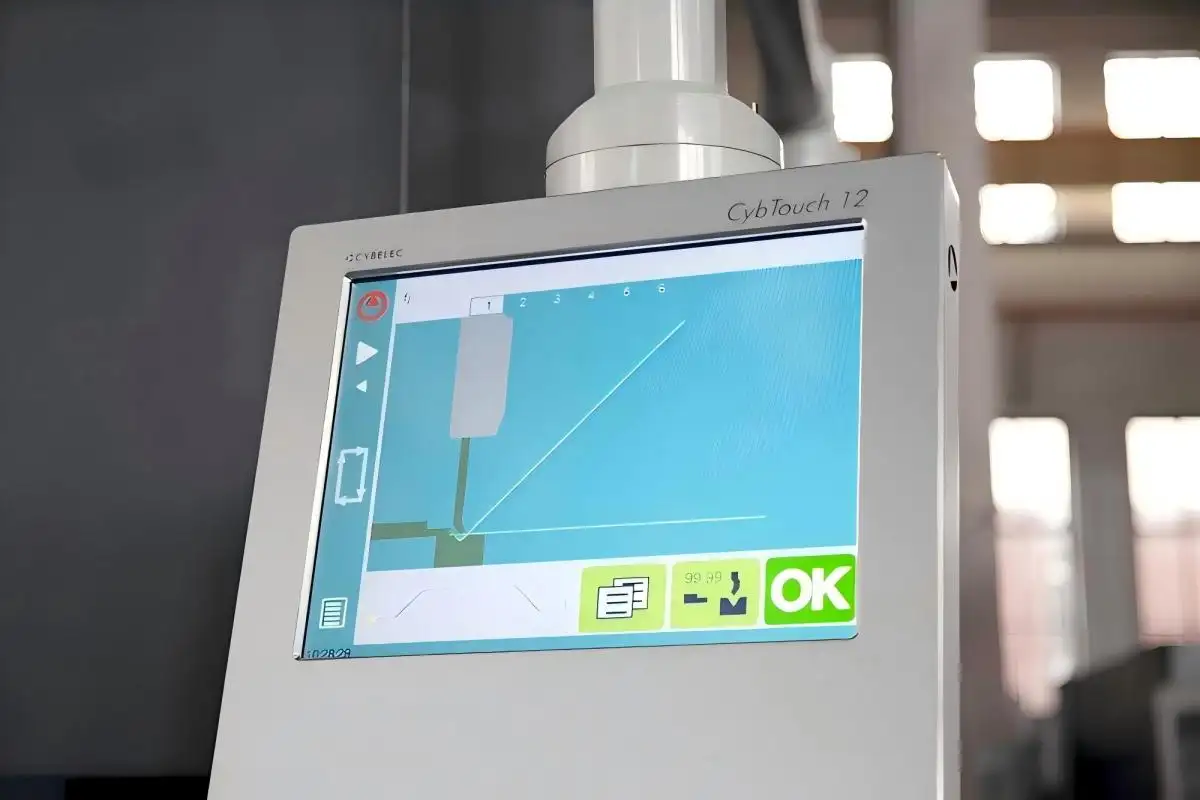
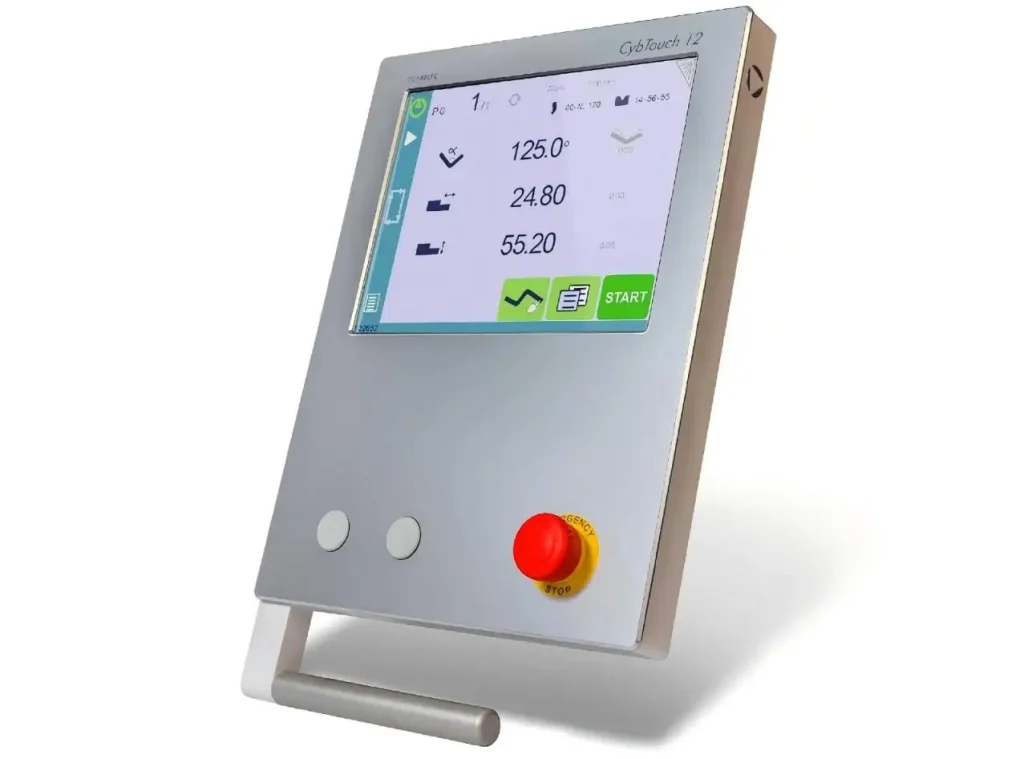
Cybelec states that the CybTouch 12 PS is designed for synchronized press brakes with 4 axes, and the controller combines a color touch interface with built-in functions that guide operators during programming and bending. The official CybTouch user manual also confirms three main ways to create a part program: TouchProfile Mode, Numerical Mode, and L-Alpha Mode.
Why the Cybelec CT12 Press Brake is Important in Modern Fabrication
As sheet metal makers have to meet higher demands for repeatability, shorter lead times, and smaller batch production, programming speed has become more important. Grand View Research says that the global market for machine tools will be worth $97.9 billion in 2024 and will grow to $137.4 billion by 2030. This shows that people are still putting money into tools that make things more efficiently and accurately.
This is important to many buyers because a control system does more than just run the machine. It also has an effect on:
• How quickly a new operator can learn the workflow
• How easily a part program can be corrected on site
• How consistently the machine handles repeat orders
• How smoothly programming supports short-run and custom jobs
JS RAGOS thinks the Cybelec CT12 Press Brake is useful because it helps fill the gap between easy-to-use and production-grade control. Instead of forcing operators to work only with code, it gives them different ways to make the same part based on their skill level and the job needs.
Three Programming Paths That Make The Cybelec CT12 Press Brake Flexible
One of the strongest points of the Cybelec CT12 Press Brake is that it does not lock every user into one programming habit. According to the CybTouch user documentation, operators can create part programs in three different modes.
TouchProfile Mode For Fast Visual Programming
This mode is often the most intuitive starting point. The operator draws the profile directly on the screen, then adjusts segment lengths and angles by touching the graphic. This method works well for users who prefer to think in shapes rather than tables.
Clients can see the practical advantages in several ways:
• It supports faster onboarding for less experienced operators
• It allows clearer profile checking before the bending process begins
• It strengthens confidence during on-screen geometry verification
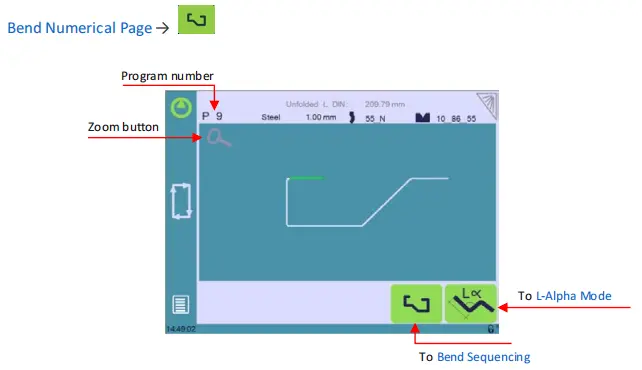
For shops producing multiple custom designs, this visual method can make programming feel more manageable and help reduce setup time.
Numerical Mode For Direct And Efficient Data Entry
This mode is particularly effective for operators who are already familiar with the required bending sequence, angle parameters, and flange lengths. Instead of drawing the part, the program is built directly on the bending page through numerical inputs.
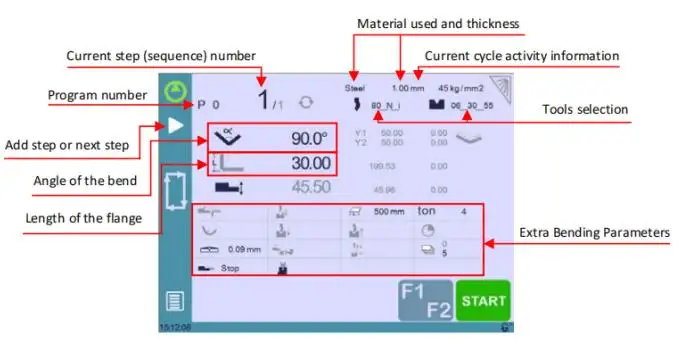
This method benefits clients who need:
• Faster entry for standard repeat parts
• Clear control of bend-by-bend values
• Simple editing when only one or two dimensions change
In production environments where the same families of components appear often, this mode can support a very efficient routine.
L-Alpha Mode For Structured Profile Definition
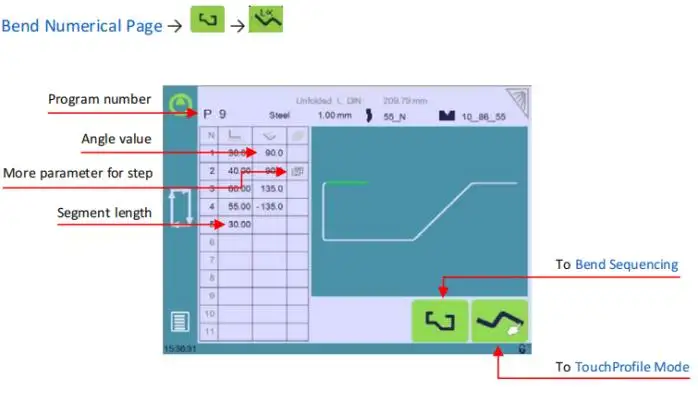
As noted in the CybTouch manual, the L-Alpha page can be turned on in the settings, allowing profile steps to be entered in table form. This layout works well for users looking for a more structured and easy-to-follow method of entering length and angle data.
At JS RAGOS, we often view this mode as a strong middle ground. It is more organized than free drawing, yet still easier to interpret than complex code-driven programming.
How To Build A Better Part Program From The Start
A successful program begins before the first bend is entered. The source material you provided correctly emphasizes that the machine should already be operational, with tools, materials, and parameters configured before part programming starts. That point is essential because program quality depends heavily on setup discipline.
A sound workflow usually follows this order:
• Select the material and enter thickness correctly
• Confirm the punch and die combination before programming
• Choose the preferred programming mode based on job type
• Define bend lengths, angles, and sequence clearly
• Review backgauge positions before the first test bend
This sequence helps operators avoid one of the most common problems in press brake work: correcting a program that was inaccurate because the setup data was incomplete from the beginning.
For clients, this translates into practical value. A better setup process means less scrap, fewer trial bends, and more stable production across shifts. That is why JS RAGOS does not treat controller selection as an isolated feature. We treat it as part of the full usability of the press brake.
Bend Sequencing And Corrections Are Where Real Efficiency Appears
Programming a part is only the first stage. Real shop-floor efficiency appears when the operator can fine-tune results without rebuilding the whole program.
The CybTouch user manual and product materials show that the system supports bend sequencing, backgauge adjustment, and correction logic within the programming workflow. The controller also supports operator guidance through the touch interface and online help functions.
In practice, this matters because bending rarely stays perfect on the first try. Material variation, springback, and positioning all influence the result. The correction process therefore becomes part of normal production, not a sign of operator error.
Key correction areas include:
• Angle correction on the Y axis, which helps refine bend accuracy
• Crowning correction, which supports angle consistency across the bending length
• Backgauge X and R axis correction, which improves flange positioning
• Semi-automatic operation, which allows repeat adjustment until the result is acceptable
For clients, these are not just technical features. They are production safeguards. They help reduce wasted material and improve first-part approval rates, especially when switching between materials or handling more demanding geometries.
Next-Part Logic, Offline Transfer, And Daily Production Benefits
Another useful concept in the provided material is the Next-Part function, which allows one program to call the next automatically. This is particularly valuable when a finished assembly requires several related parts or when production needs a continuous sequence across multiple simple programs.
The CybTouch manual also describes program management and file transfer functions, including storage, loading, and conversion tools for compatible workflows. These capabilities matter because modern fabrication increasingly depends on repeatability, not just one-time programming.
From a client perspective, the benefits are practical:
• Better continuity in batch production
• Easier reuse of proven part programs
• Simpler organization of recurring jobs
• Reduced dependence on re-entering the same data repeatedly
At JS RAGOS, we recommend this type of controller solution for manufacturers that want a press brake to be both productive and approachable. The best control system is not the one with the longest feature list. It is the one that helps operators move from drawing to finished bend with fewer delays and fewer avoidable mistakes.
Why JS RAGOS Recommends A Practical Programming Mindset
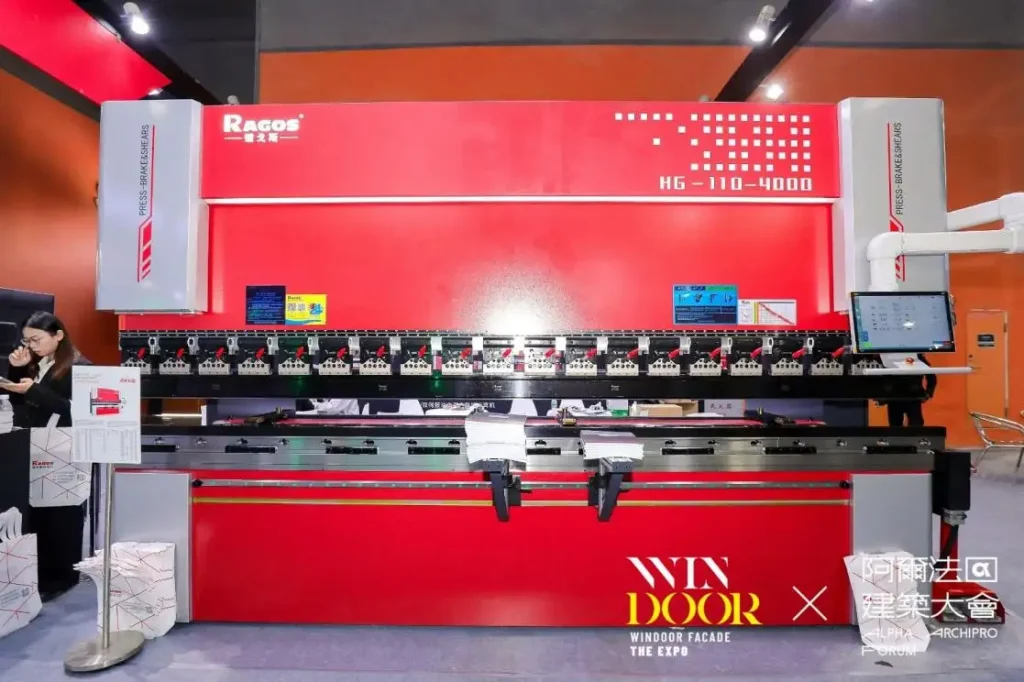
The Cybelec CT12 Press Brake is not only about touchscreen convenience. It is about giving operators a clear programming path, giving supervisors more repeatable output, and giving buyers a machine that supports real production needs.
For companies entering CNC bending for the first time, this controller offers an accessible way to build programming confidence. For experienced users, it offers enough flexibility to keep daily work efficient. Cybelec's official product information highlights the controller's 2D touchscreen environment and synchronized press brake focus, which aligns well with the needs of many standard fabrication applications.
If your team is evaluating a new press brake or looking for a machine that makes programming more manageable, JS RAGOS can help you match the right machine configuration with the right control strategy. Explore our related controller resources and speak with our team to discuss a press brake solution built around your production goals, operator skill level, and part requirements.