

Mastering Large Radius Arc Bending With The ESA S860 Press Brake
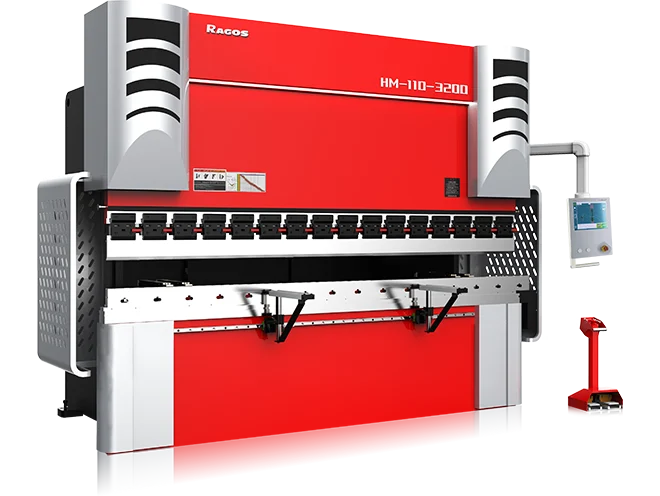
The ESA S860 Press Brake is well suited for stable, repeatable large radius arc bending on sheet metal or plate. Compared with standard angle bending, this work requires better control of step spacing, 스프링백, forming consistency, 그리고 표면 품질. A weak program can lead to flat spots or uneven curvature.
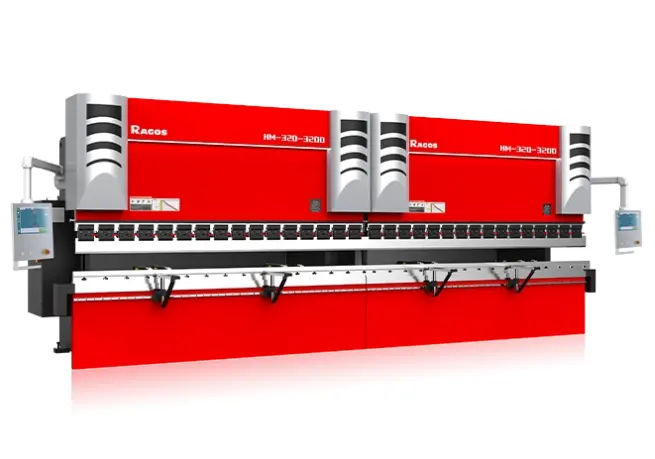
For users of JS RAGOS, the ESA S860 offers an integrated programming environment for the creation, 시뮬레이션, and optimization of arc bending sequences. This guide will describe how to manage large radius bending within a programming context, both graphical and numerical, in a more controlled and production-oriented approach.
소개 to the ESA S860 Press Brake
The ESA S860 Press Brake is designed for 정밀 굽힘 work that requires a strong balance between operator control and programming efficiency. In large radius applications, that balance becomes especially valuable because the final shape is created through a series of small, controlled bends rather than one direct forming stroke. The quality of the result depends on how accurately the program translates design data into step-by-step machine movement.
실제로는, the ESA S860 supports this work through a user-oriented control interface, programmable bending logic, and simulation-based verification. It allows the operator to define the workpiece profile, enter material data, adjust bend sequencing, and review the forming path before production begins. That process helps reduce trial-and-error on the shop floor.
For manufacturers such as JS RAGOS, the main value of this system is not only ease of use, but process control. When large radius arcs are programmed correctly, the machine can assist in delivering:
•More consistent curve formation across production runs.
•Greater control of step distance and bend progression.
•Less correction of setup adjustments during first piece inspections.
•Better repeatability in custom, small lots.
•Greater confidence working with challenging materials.
There are no issues with the ESA S860 Press Brake's Arc Bending capabilities with the Precision Arc Bending System, regardless of whether the operator is programming a straight panel, a curved panel, or even a structurally complex piece.
Graphical Programming Of ESA S860: Guidelines
- Activating the Machine and Selecting Graphical Mode
To begin with, start the machine and check the ESA S860 controller's initialization. 그러면, the main screen will appear and you will proceed to the interactive screen. For the purpose of arc bending, this screen is essential because it aids the operator in constructing the workpiece and verifying that the programmed shape aligns with the corresponding drawing.
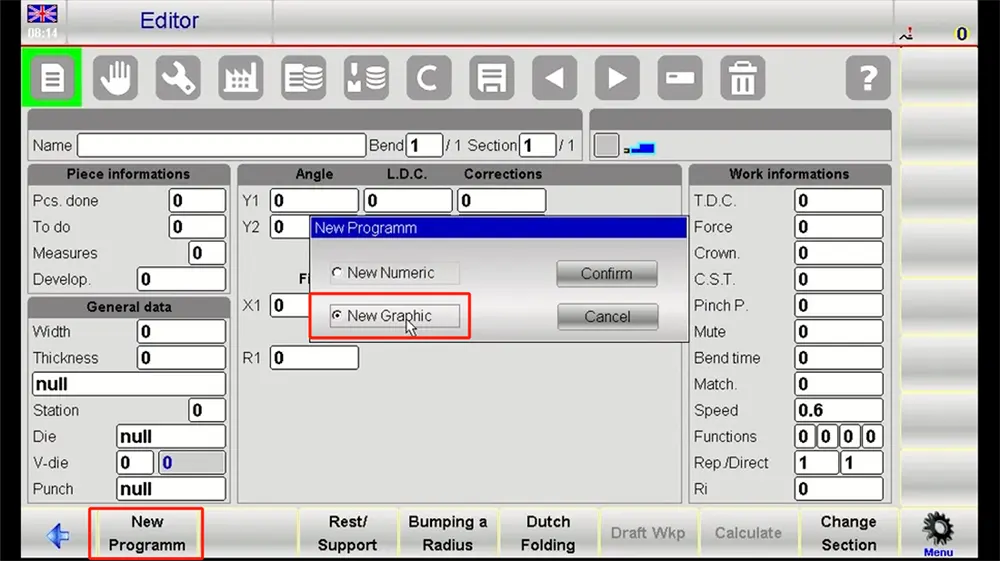
진행하기 전에, confirm that the machine is set up with the appropriate tooling in the correct reference positions. A programming sequence is only as reliable as the physical setup behind it.
- Build The Workpiece Profile
In the graphical interface, create the part outline based on the required arc profile. For large radius work, the operator should pay close attention to overall geometry rather than treating the arc as a single abstract curve. The radius, transition points, flange sections, and total bend length all need to reflect the production drawing.
Use the available drawing tools to define the arc section clearly. It is often beneficial to verify the following:
• The arc's starting and ending points
• The required value of the radius
• The total length of the arc
• If the part includes adjacent straight sections
• The material's directional properties as they pertain to the bending behavior
• A tidy profile at this point simplifies future adjustments greatly.
- Enter Material and Process Parameters
After the geometry is defined, input the material type, 판 두께, and any other necessary process data. This step is essential because large radius results are strongly influenced by material behavior. 스테인리스, 연강, and aluminum will not respond in the same way during stepped bending.
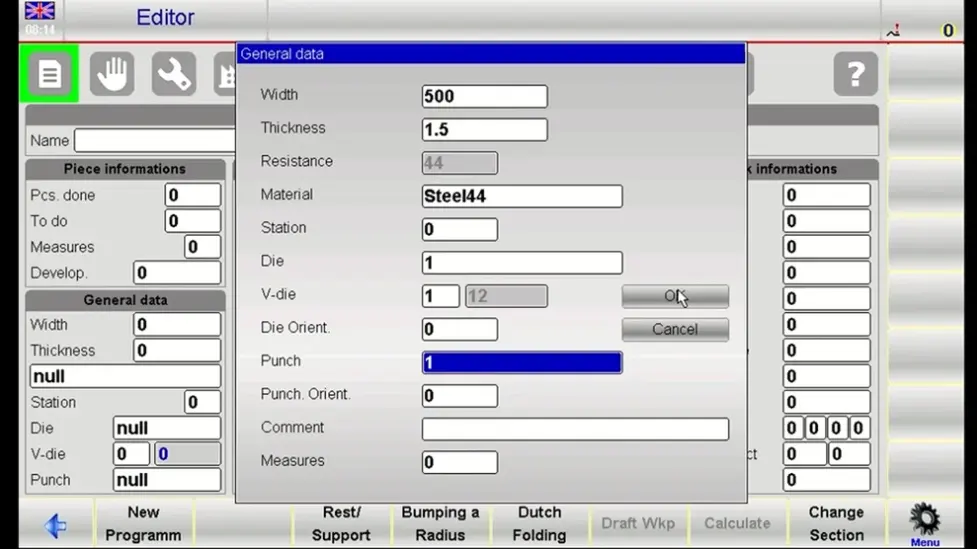
The ESA S860 uses this information to support bend calculation and process planning. If your workshop has known springback values or preferred correction logic for certain materials, enter them at this stage so the program reflects real production conditions rather than only theoretical values.
- Generate the Bending Sequence Automatically
Once the profile and material information are ready, use the controller's automatic calculation function to generate the bending path. The ESA S860 will calculate a sequence of incremental bends that approximate the required large radius arc.
This automatic function saves time, but it should never replace review. The operator still needs to examine:
• Bend count
• Step spacing
• Angle distribution
• Tool compatibility
• Feasibility of part handling during the sequence
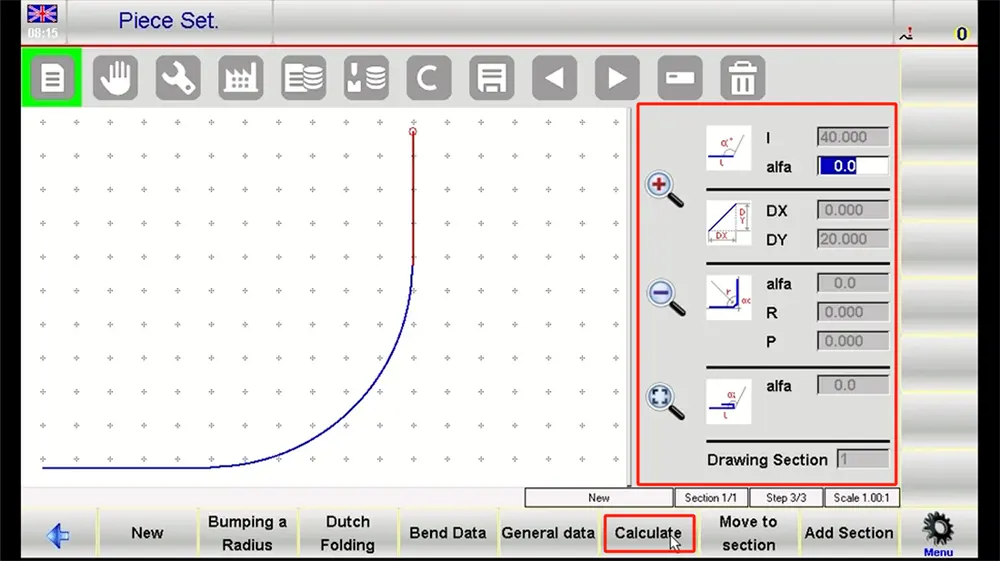
If the generated program looks too aggressive or too coarse, refine it manually. A smoother arc often depends on smaller, well-balanced forming steps.
- Simulate and Verify The Program
Run the simulation before sending the job to the machine. This is one of the most valuable stages in the ESA S860 Press Brake workflow. The simulation helps the operator check whether the sequence is logical, whether the part orientation is correct, and whether any interference may appear during bending.
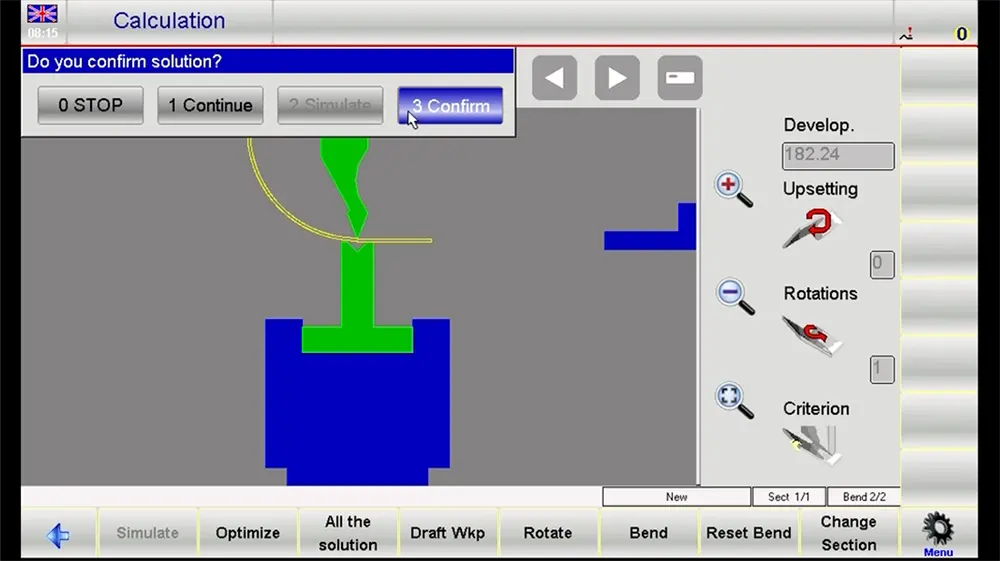
When reviewing, ensure the following:
• Arc continuity over the entire bend zone
• Possible tooling/workpiece collisions
• The back gauge's fit (해당되는 경우) in the sequence
• Overtravel or movements that may not be realistic
• Drawing versus final shape consistency
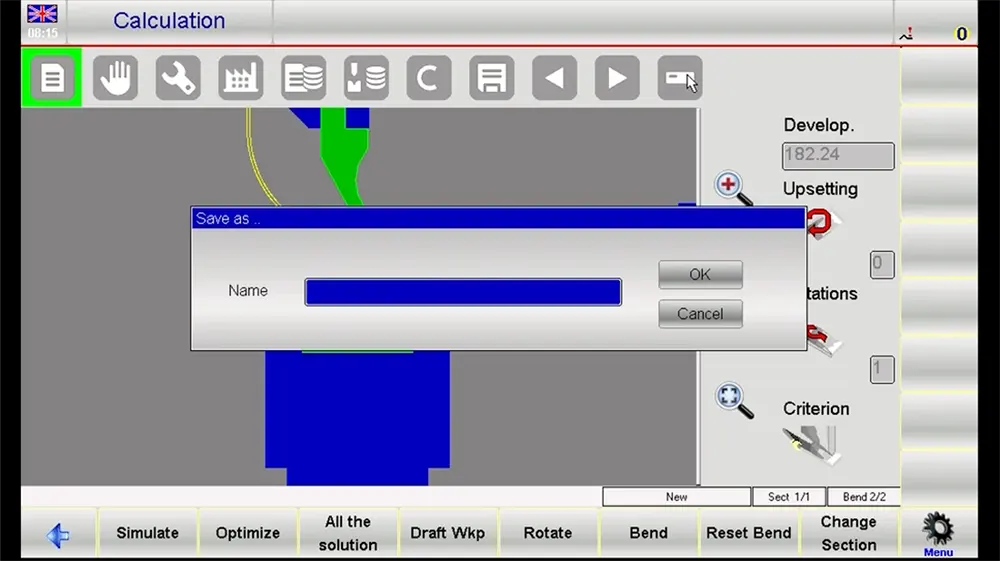
If needed, go back to the previous steps, and make adjustments to bend increments or compensation values.
- Save And Prepare For Production
Once the simulation is confirmed, save the program with a clear and identifiable part name and revision. Following that, switch to operation mode and set up for a first piece run. The operator should also confirm that the tooling is installed, material is aligned, and the machine is ready to go before forming.
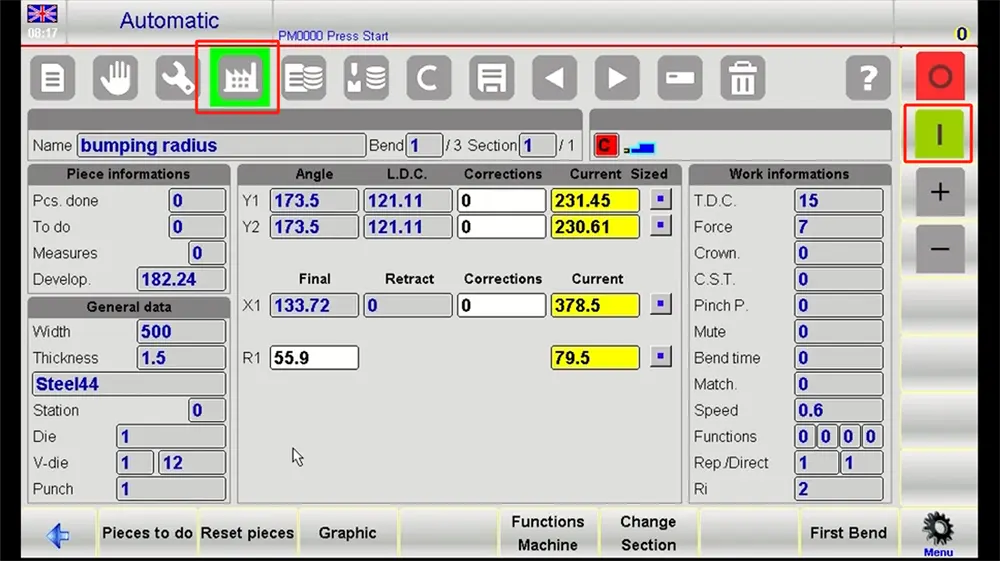
Detailed Steps for Numerical Programming of ESA S860
• Create A New Program
In numerical mode, begin by creating a new program file. Enter a practical program name that helps future retrieval. This method is useful for operators who prefer direct parameter entry or need to build a job from dimensional data rather than from a drawn profile.
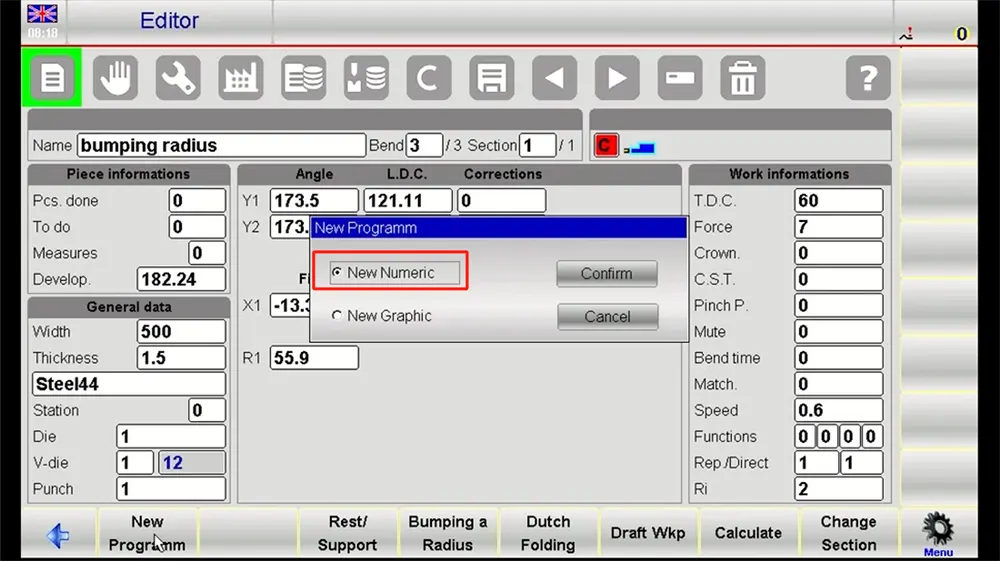
For large radius applications, define the job type in a way that reflects the actual forming method being used.
• Input Material Data
Enter the material type, 두께, and relevant correction values. This is the foundation of the program. If the material has a known tendency toward springback, the compensation should be included early rather than left for repeated trial adjustment on the machine.
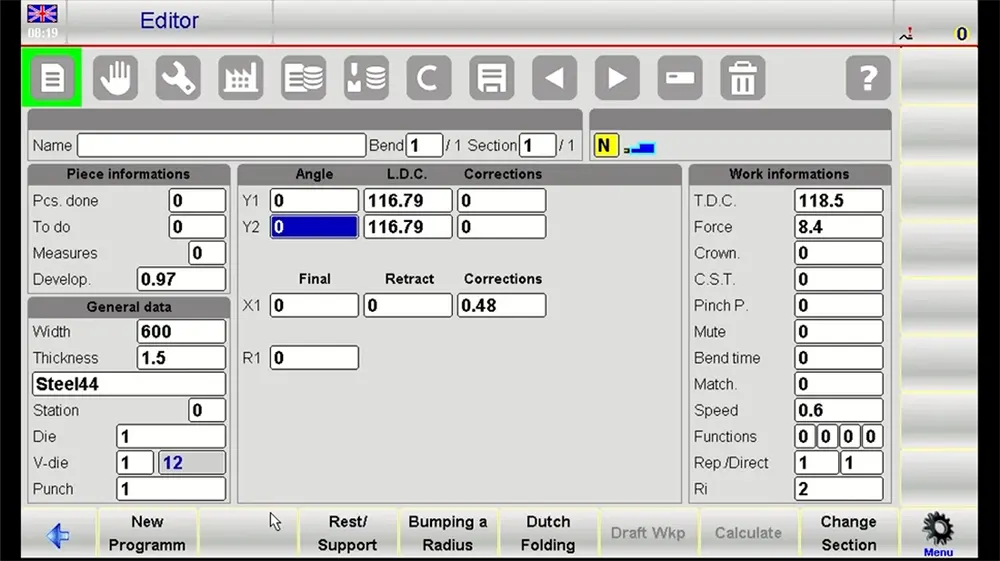
• Set The Main Bending Parameters
다음, input the core arc data. This usually includes the target radius, total bending angle, and effective bending length. These values should match the technical drawing and process requirements.
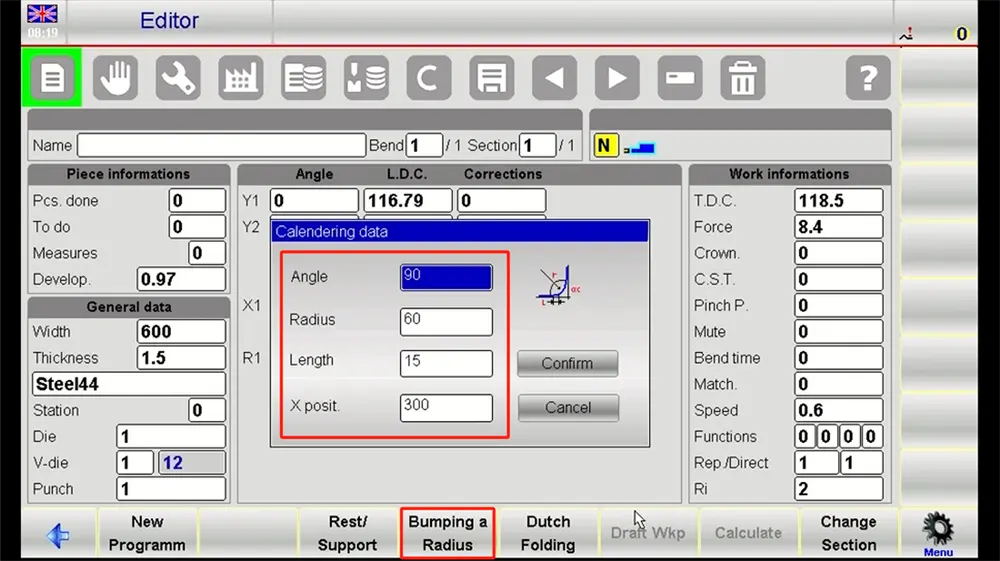
The ESA S860 Press Brake uses this information to structure the numerical logic of the job. Accuracy here directly affects the quality of the generated bend progression.
• Define The Bending Steps
Break the large radius arc into individual forming steps. The curve can also be formed through a sequence of measured angle increments combined with related feed distances. The step quantity will depend on factors such as radius size, material selection, 두께, and the surface quality standard.
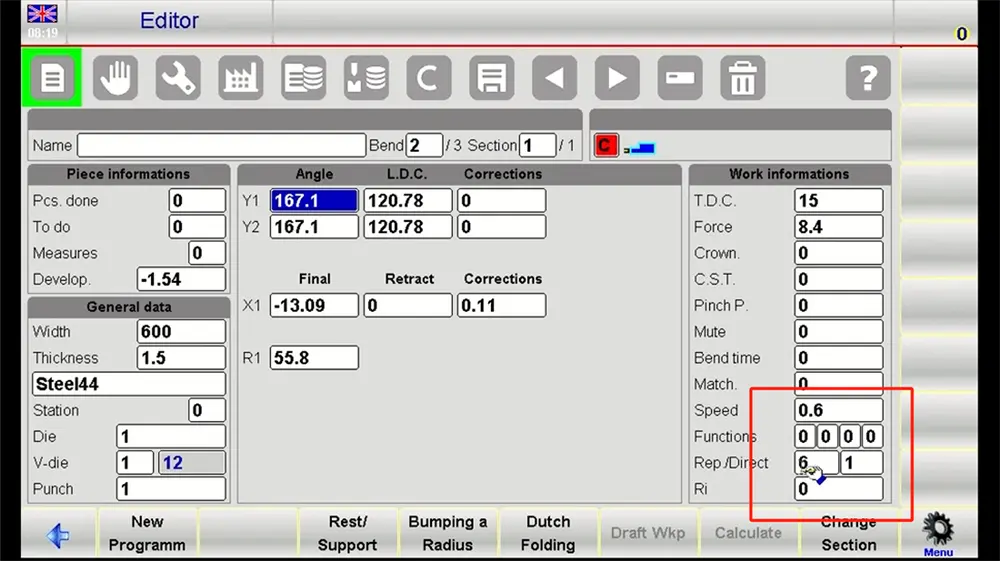
A better large radius result usually comes from balanced step planning rather than excessive correction after production starts.
• Simulate And Optimize
Use the control's simulation function again to review the numerical program. Keep realism and continuity issues in mind. Should the machine have trouble executing certain steps, let the simulation run before moving to the press brake, 그리고, in case of poor arc continuity, adjust before moving on.
• Save And Execute
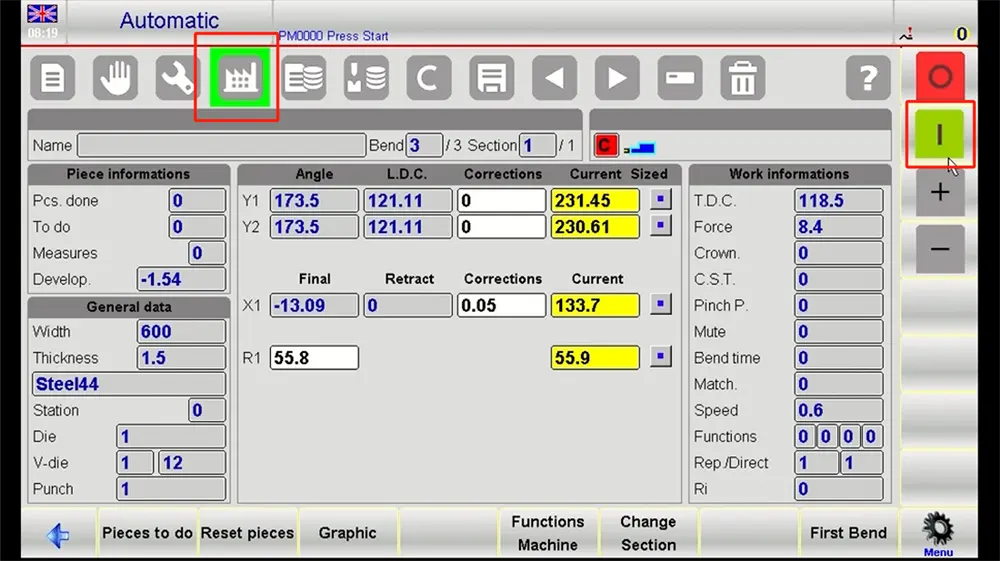
Once you have verified the numerical program, you must save the program to the machine's program library. Then switch to operation mode and prepare the first trial piece. Measure the formed arc carefully and compare it with the target value. Small refinements may still be required, but a well-built ESA S860 program should reduce the amount of correction needed on the shop floor.
결론
The ESA S860 Press Brake gives fabricators a practical and professional platform for managing large radius arc bending through both graphical and numerical programming. For JS RAGOS users, its value lies in structured programming, clearer verification, and better control over the many variables that affect arc quality.
When operators follow a disciplined process—profile creation, material input, sequence generation, 시뮬레이션, and first-piece validation—they can improve consistency, reduce wasted setup time, and achieve smoother arc results. 실제 제작에서, that matters far more than simply completing a program. It supports repeatable bending performance, more efficient workflow, and a stronger foundation for demanding fabrication work.