



ESA S875 Press Brake: A Practical Data Update Guide
ESA S875 Press Brake programming becomes far more efficient when operators understand how to update General Data correctly. At JS RAGOS, we see this step as more than a controller action. It is a practical method for keeping bending results aligned with real production conditions, especially when material, tooling, or angle requirements change.
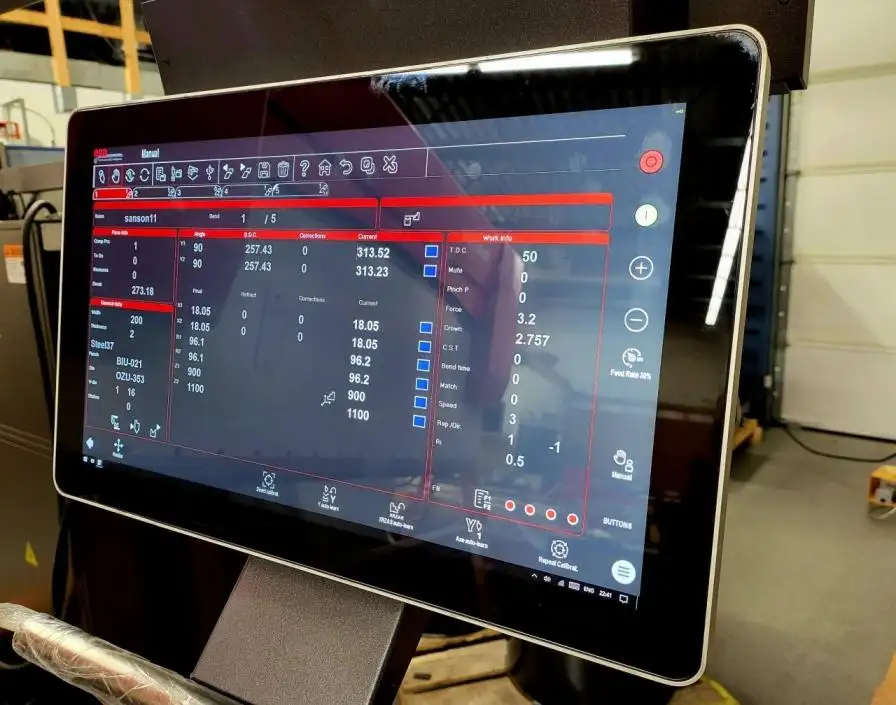
In daily sheet metal work, even small parameter differences can affect angle consistency, repeatability, and setup time. Material thickness, tooling selection, springback behavior, and bend allowance all influence the final part. Industry guidance also shows that bend outcome is closely tied to material thickness, inside radius, and springback control, which is why General Data should never be treated as a minor menu item.
Why ESA S875 Press Brake General Data Matters
For many users, General Data is the operational center of the bending program. It tells the controller how to interpret the job before the machine executes the bend. When these values are current, the machine can respond with better consistency. When they are outdated, programming errors, rework, and lost time become more likely.
From the perspective of JS RAGOS, clients benefit from understanding this logic early:
• General Data connects material properties with bend calculation behavior
• It helps align tooling information with real workshop conditions
• It supports faster correction when production variables change
• It reduces unnecessary repetition across similar bends
This is also why modern ESA controller platforms remain important in professional press brake environments. ESA highlights advanced press brake CNC capability, including strong programming performance and multi-axis control in its S875 range, showing that the platform is intended for demanding industrial use rather than basic manual adjustment alone.
How To Access The ESA S875 Press Brake General Data Mask
The update process begins with proper access to the correct interface. On the ESA S875 Press Brake, operators do not need to move through unrelated menus to begin a General Data correction. The access path is direct and structured, which helps reduce hesitation during setup.
Use the following path:
• Open the Settings Mask
• Press the Menu key on the controller
• Select Option 6: General Data
• Open the General Data Mask on screen
This screen contains the same data structure as the current bend context, so it is relatively easy to recognize and review. For operators and production managers, this matters because a familiar interface lowers the risk of editing the wrong field under time pressure.
At JS RAGOS, we recommend that clients train operators to recognize this access path as part of standard programming discipline. A fast entry process is useful, but correct entry is even more important.
How To Read The General Data Interface Correctly
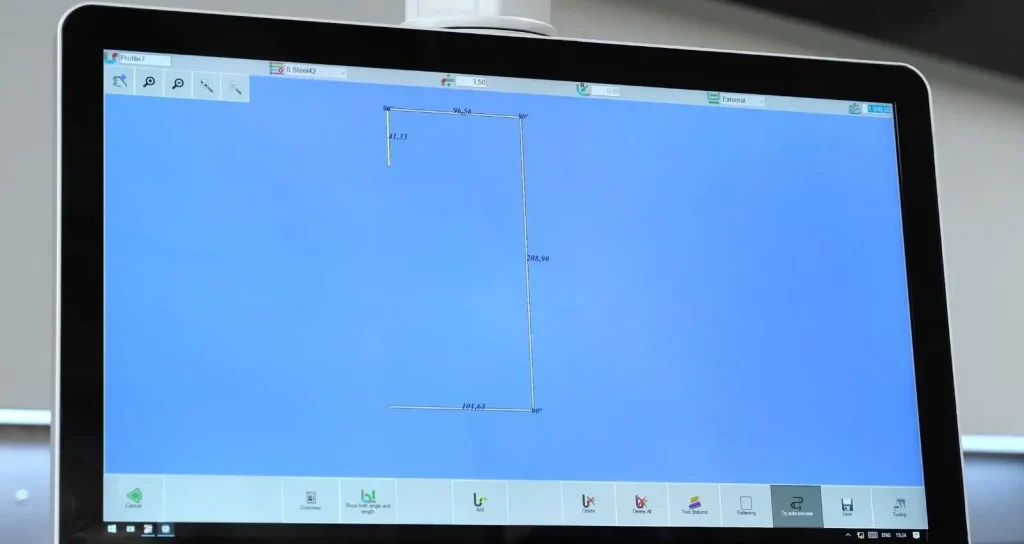
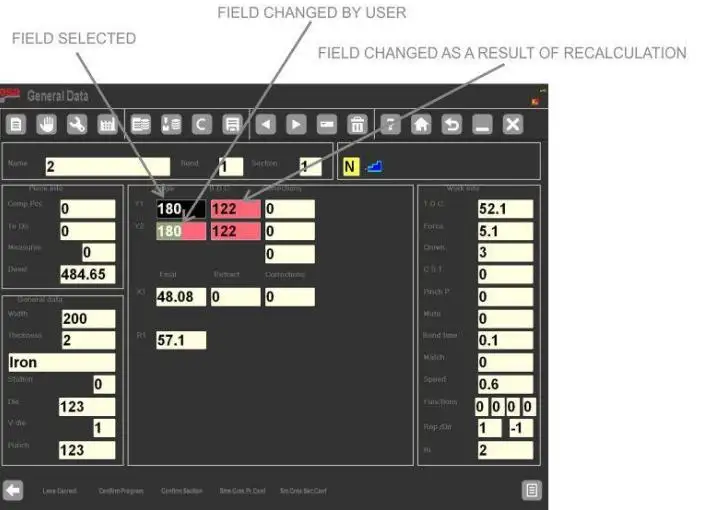
Once the General Data Mask is open, the next priority is interpretation. Rather than functioning as a simple list of settings, the screen also provides clear visual feedback. It allows users to see which parameters they changed themselves and which values were recalculated by the controller after those changes.
In most cases, the interface uses the following color rules:
• Reverse-Colored Fields show manually changed values
• Red Background Fields show values recalculated by the system
• Normal Fields show data that remains unchanged
This visual feedback helps the operator evaluate the result of a modification before accepting it. That is especially useful when updating material thickness, resistance values, punch data, or die information.
One important point should be clearly understood: the bend shown in the General Data Mask is a temporary copy, not the active production bend itself. This gives the ESA S875 Press Brake a safer correction workflow. Operators can inspect possible changes before applying them to the actual program.
In real manufacturing, this is highly practical. Springback and tooling geometry can change how a bend behaves, and professional bending references also note that tool choice and bend geometry directly influence the result.
How To Apply ESA S875 Press Brake Changes Efficiently
A major advantage of the ESA S875 Press Brake is that General Data changes do not need to be repeated bend by bend when the same logic applies across the program. The controller provides several confirmation keys so that operators can scale changes with control.
The four main confirmation options are:
• Confirm Program: apply changes to all bends in the full program
• Confirm Section: apply changes to all bends in the current section
• Conf. Same Pr. Ang.: apply changes to bends with the same Y1 angle in the program
• Conf. Same Sect. Ang.: apply changes to bends with the same Y1 angle in the current section
This structure helps different production scenarios.
For example, when one section uses the same material and tooling setup, Confirm Section can save programming time. When only bends with a matching angle require standardization, the angle-based confirmation keys provide a more selective method. This reduces the chance of over-applying corrections to unrelated bends.
At JS RAGOS, we present this as a productivity feature rather than only a controller function. For clients, the practical benefit is simple: less repeated input, fewer avoidable mistakes, and faster setup across similar parts.
Best Practices For Safe And Accurate Data Updates
Fast editing is useful, but disciplined editing delivers the real value. A professional data update routine should combine speed with verification.
We recommend the following workflow for ESA S875 Press Brake users:
• Plan the correction before opening the mask
• Change only the fields required for the current production issue
• Review reverse-colored and red fields before confirmation
• Use the narrowest confirmation range that fits the task
• Test one sample part after an important change
• Record the update for future repeat jobs
It is also good practice to cancel changes when there is uncertainty. The Ignore Corrections function helps operators remove temporary adjustments without disrupting the original program structure. That is a strong safeguard in busy workshops where interruptions are common.
Another useful habit is to review General Data whenever materials or tools change. Industry guidance on bending basics repeatedly shows that bend radius, material behavior, and tooling selection are not isolated factors. They work together, so the controller data should reflect the real setup on the floor.
How JS RAGOS Supports Better ESA S875 Press Brake Operation
At JS RAGOS, we believe clients should not only purchase a press brake system. They should also gain the knowledge to use it with confidence. That is why practical controller guidance matters. When operators understand how to update ESA S875 General Data correctly, they can reduce downtime, maintain bend consistency, and respond more effectively to changing job requirements.
For clients, the practical value is clear:
• Better alignment between controller data and actual production
• More stable bending quality across repeated jobs
• Faster correction when material or tooling conditions change
• Lower risk of programming confusion during setup
The broader ESA S875 controller family is designed for advanced press brake work, including strong programming functions and support for complex machine control, which is why proper data management is worth learning in a structured way.
If your team is working with an ESA S875 Press Brake and wants a more reliable update workflow, this is the right time to standardize your programming method. Contact JS RAGOS for technical support, machine consultation, or more practical guidance on ESA controller operation. A well-managed data update process is a small step that can produce a meaningful improvement in bending accuracy, programming efficiency, and production stability.